
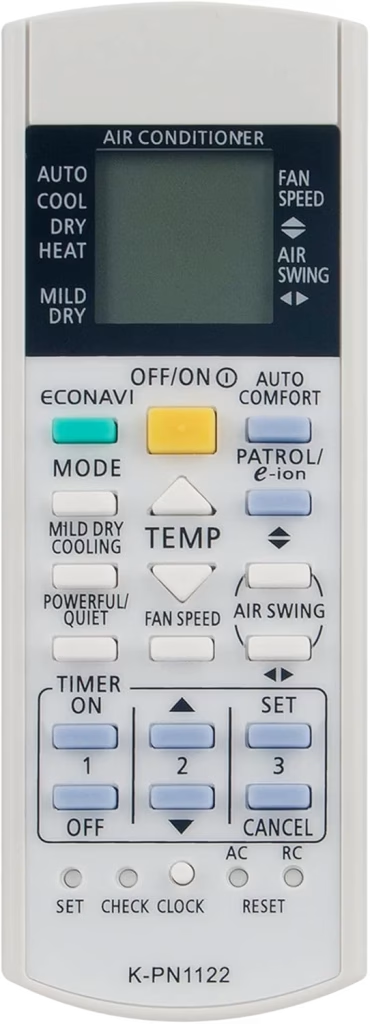
Unlike its competitors Panasonic tries to fill up the AC remote control panel with dedicated buttons for almost every function that the AC unit offers. One of those buttons is a dedicated reset button. The company even went as far as including two reset buttons in one of the remote control models, one to reset the controller and another to remotely reset the AC unit.
You can reset the Panasonic AC remote control by pushing the reset button/pinhole for 5-10 seconds, for the model that offers two reset pinhole buttons press the one labelled as “RC”. You can use a toothpick, sim ejection tool, or a paper clip to press the pinhole reset button.
Additionally you can also use the universal AC remote control reset method. You just need to remove the batteries of the controller for 5-10 minutes, doing this you can reset any brand or model AC remote control.
Leave a Reply